Contents
Why does a purchased B2B contact list go out of date?
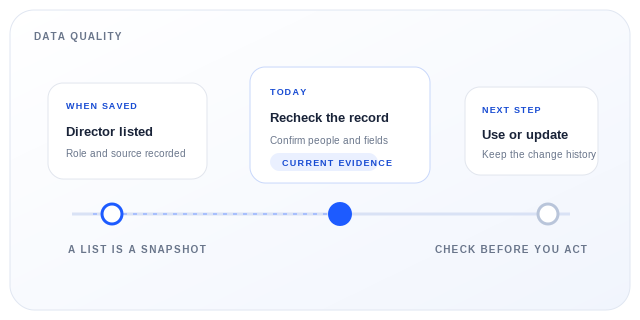
A purchased file records details at particular points in time, while people change roles, companies move and addresses stop working. If the file has no dates or update history, those changes can stay hidden. Dated evidence for the fields you use helps identify what needs checking; one refresh date for a whole file cannot show when each contact detail was last verified.
- Fields in the same record can have different check dates.
- Keeping the previous value makes a change easier to investigate.
- A wrong contact can distort campaign results as well as waste a call or email.
A purchased list is a snapshot of company and contact details at a point in time. People move, phone numbers are retired and businesses change. If the file does not show when each detail was checked, your team cannot see which fields need another look.
What changes in a business record
A director may leave. A business may change its name, address or status. An email server may change how it accepts messages. A list that records only the original value can keep showing it long after the evidence has changed.
Why an old detail costs more than a wasted send
A wrong number wastes a call. A bounced email can affect the sender's reputation. Contacting someone who has left makes the message feel careless and gives the team a poor reason for starting a conversation. Those problems are harder to diagnose when the list has no source or date.
Ask for dates on the fields you use
A single refresh date for an entire spreadsheet does not tell you when a specific email, phone number or director record was checked. Look for the source and date attached to each important field. Recheck the details that matter before using them, and record what changed.
Keep an update history
When a value changes, retain the previous value and date so the team can understand the record's history. A changed detail should be supported by evidence rather than silently overwritten. If sources disagree, make the uncertainty visible until the team has a reason to choose one value.
Use company changes to guide research
A new director or a move can tell you what to check next. It does not prove the company needs your product. Confirm the change, look for a relevant business problem and decide whether a conversation makes sense.
Check before a campaign
Review a sample of the accounts, confirm the contact role, check the fields your team plans to use and make sure objections are respected. Fresh evidence helps you see what is known and what still needs checking; it cannot guarantee a reply.
Data quality
Keeping business data current
How quickly does business data go out of date?
There is no single timetable. People, phone numbers and company details change at different rates, so look for a check date on each field.
What should I check before using a bought list?
Review the company fit, contact role, source and check date for the fields your team plans to use. Keep a way to apply objections and removals.
Should a provider keep old values?
A dated history helps a team understand what changed and why. Ask how updates and conflicting sources are recorded.
Does a recent company change mean I should contact them?
Not by itself. Verify the change, connect it to a real problem you can solve and decide whether the contact is relevant.
Check a record before you use it
See how Adapt Leads separates field status from the date and evidence behind each value.
View a sample recordTalk to us
About the author
Jessica GardnerIn-house Editor, Adapt LeadsJessica writes Adapt Leads articles and guides on UK business data, prospect research and sales conversations.