What needs checking before
you use this contact detail?
Press Enrich now on any record and Adapt Leads re-checks it against every source it knows, in a few seconds. A value only changes when an independent source agrees, and the old value stays in the history.
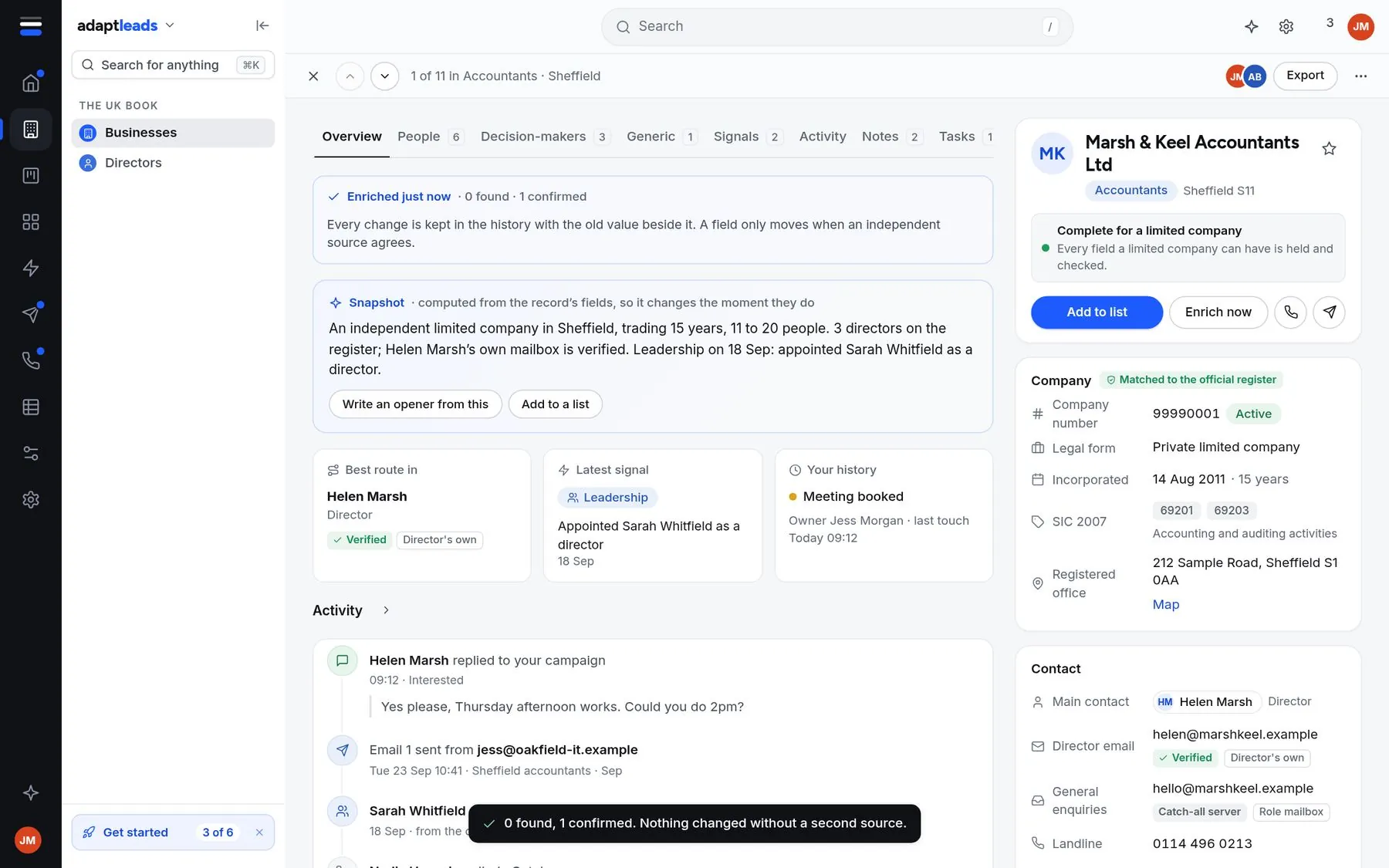
Recheck missing and existing company details.
Enrich now looks for anything the record is missing and re-checks what's already there. Every change is kept in the history, with the old value beside it. A field only changes when an independent source agrees, so you can review what changed and the evidence behind it.
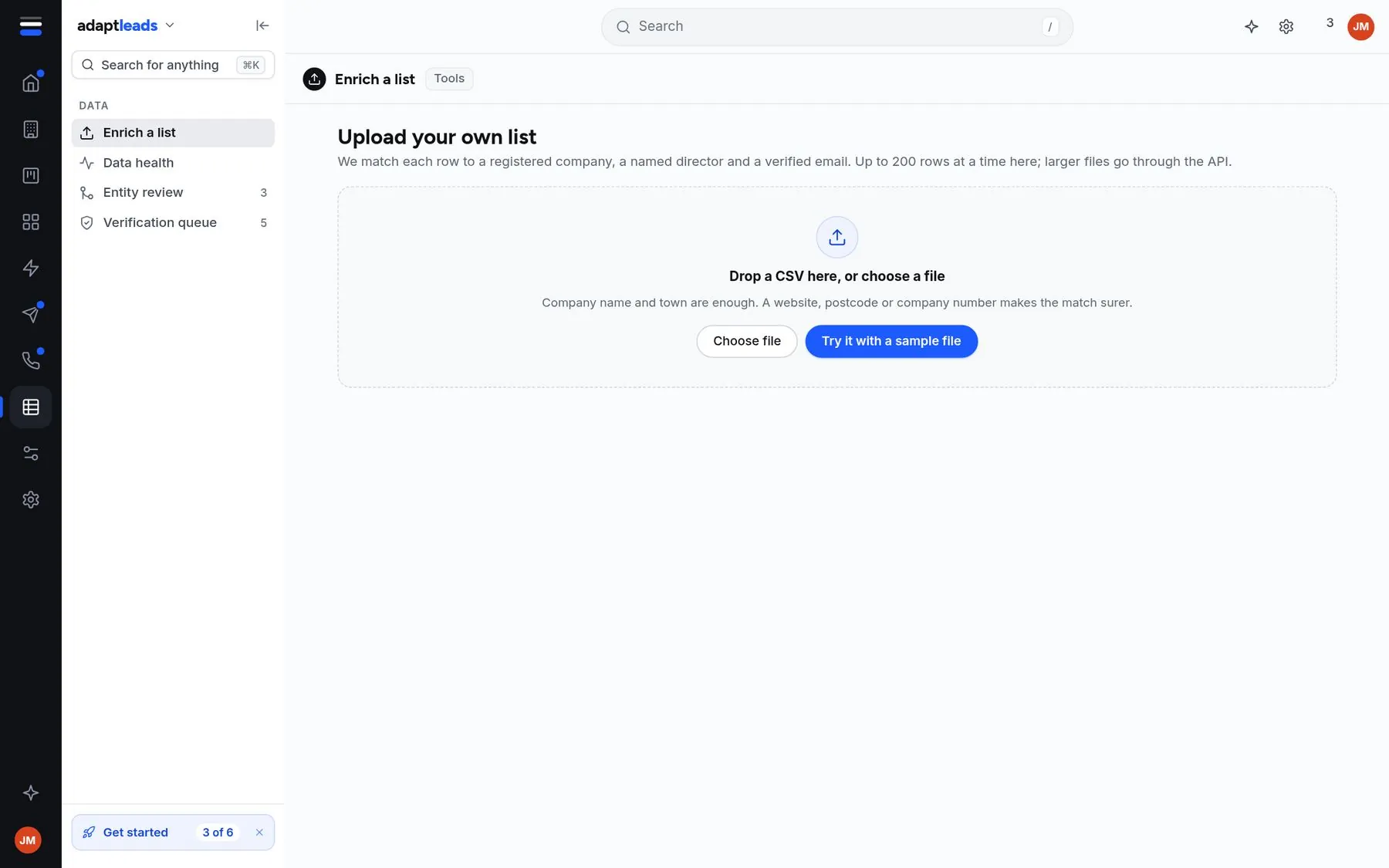
Bring a spreadsheet, get matched records back.
Upload a CSV to match your businesses with records in Adapt Leads. A company name and town can help identify a match; a website, postcode or company number provides more detail. Review the match and available contact fields before using them. The app accepts up to 200 rows at a time, with larger files handled through the API.
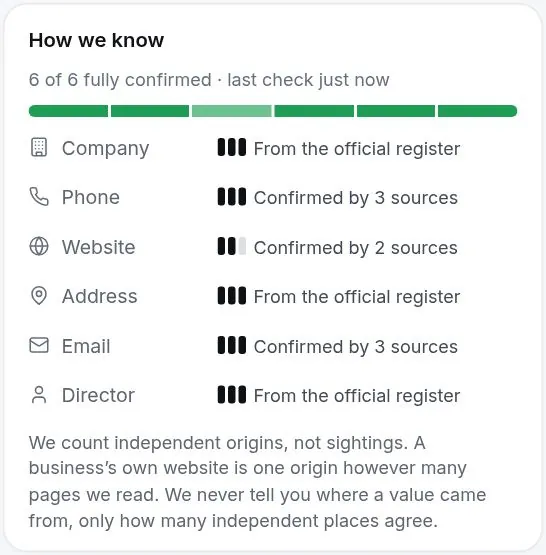
Review the history of changes to a record.
If two sources disagree, we show both. If a value changes, the old one stays in the history. You can always see what said what, and when.
A good habit before you reach out.
Check the number and the person
Press Enrich now before a call, then review the latest available contact details and evidence labels.
Check whether the contact still has the relevant role
Recheck the list before sending and investigate contacts whose roles or details are uncertain.
A bounce, a wrong number, a new name
Re-check the record, and see whether an independent source agrees with what you found.
Match a spreadsheet to the book
Add the register facts and a checked email to the leads you already have.
One press, three steps.
- 1
Open the record
Find the business in the book, in a list or in a reply.
- 2
Press Enrich now
Adapt Leads looks for anything missing and re-checks what's there.
- 3
Read what changed
It tells you what it found and what it confirmed. The history keeps the old values.
Frequently asked questions
How long does it take?
A few seconds for one record.
What if it finds nothing?
Then nothing changes, and it says so. A result like 0 found, 1 confirmed means we looked, found nothing new and re-confirmed one fact.
Can a value change without a second source?
No. A field only changes when an independent source agrees. If sources disagree, we show both and change nothing until the evidence resolves the disagreement.
How big a list can I upload?
The app takes up to 200 rows at a time. Larger files go through the API, which comes with the Custom plan.
What does Enrich now check?
It checks the record again against every source we know, then shows you what it found next to what was there before.
Will Enrich now overwrite my data?
Not on one source's say-so. A value only changes when an independent source agrees, and the old value stays in the record's history with the date.
What happens if two sources disagree?
The field is marked Contested. We show both values and change nothing until another independent source settles it.
Do I need to enrich a record before I use it?
No. You can email, call or export any record as it stands. Enrich now is there when you want a fresh check before you call or write.
Can I enrich more than one record at a time?
Yes. Upload your own list and Adapt Leads matches it to the book and checks each business.
Explore related tools.
Check your first record.
Open a business and see the evidence behind each field.