How do you manage email
campaigns and the replies they produce?
Connect your own mailboxes and prepare a sequence for businesses that can use your offer. Review messages before starting the campaign, manage replies in one inbox and create a deal when a conversation becomes a sales opportunity.
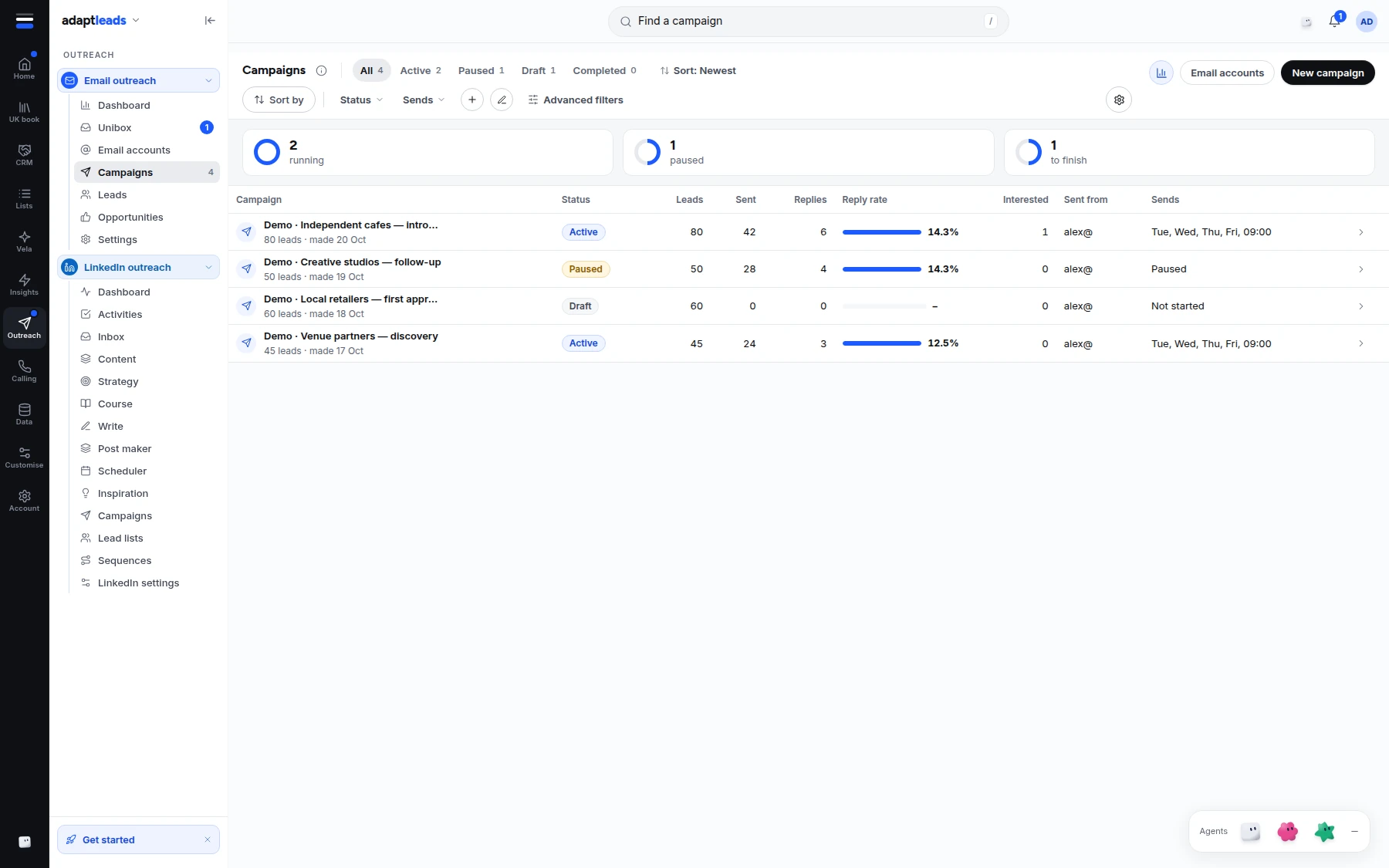
Follow-ups that stop when someone replies.
Write the first email and the follow-ups. Adapt Leads spaces them out, sends in working hours with random gaps, and holds follow-ups back if it can't read a mailbox's replies. A campaign is planned at about 20 a day from each mailbox.
Warm-up and a health score for every mailbox.
Connect Gmail, Google Workspace or any mailbox that works over IMAP and SMTP. Each one warms up gradually, and you can see its health score, how many it sent today and how far through warm-up it is. Use the score alongside delivery and reply results. Run a seed test to see where your emails land.

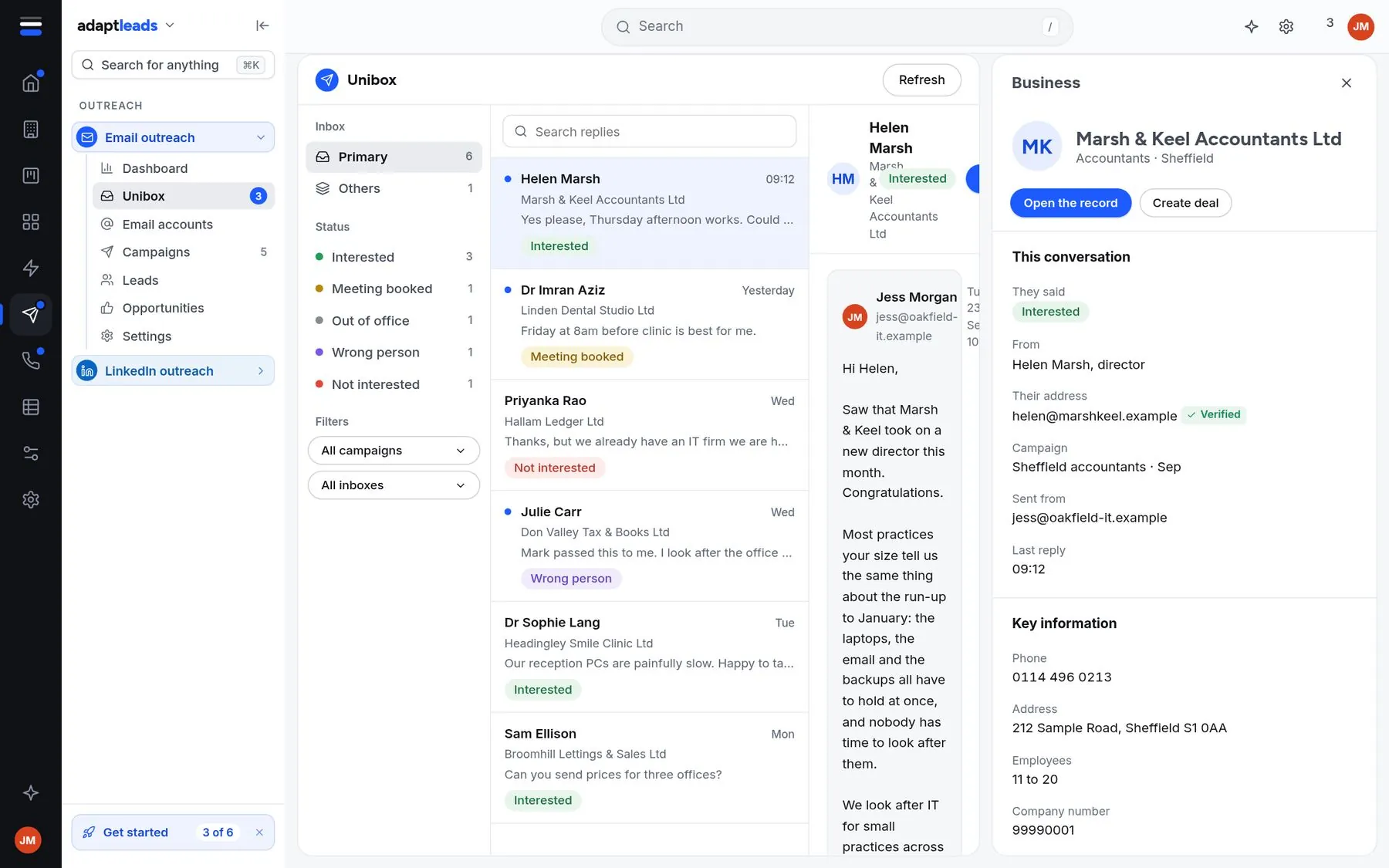
Every reply in one inbox, sorted by what it means.
Replies are labelled Interested, Meeting booked, Out of office, Wrong person or Not interested, so you can deal with the good ones first. Open one and the business, the thread and the record are beside it. Press Create deal and it's in your pipeline.
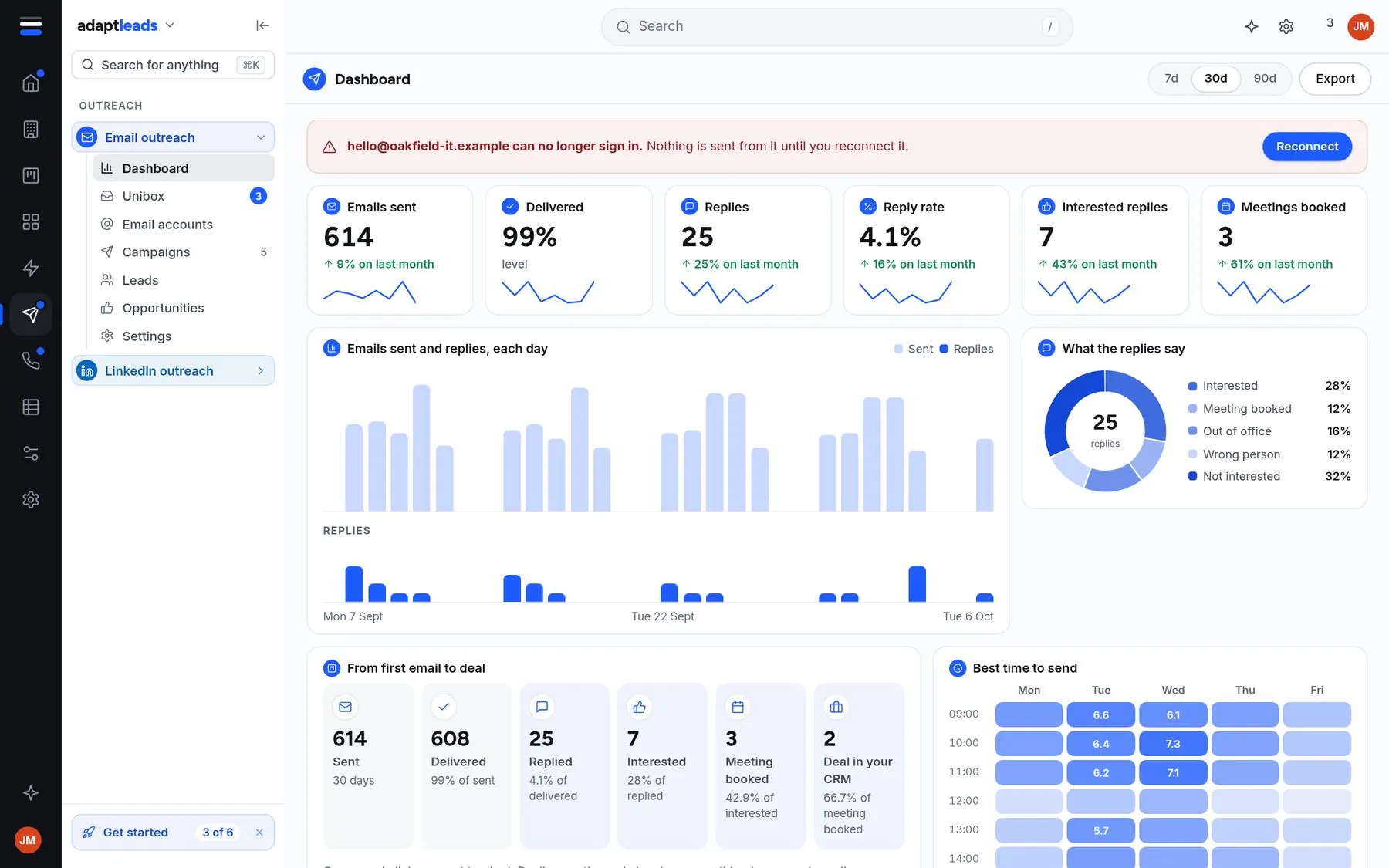
What happens after your campaign sends?
A dashboard of emails sent, delivered, replies, reply rate, interested replies and meetings booked, day by day. Look at the last 7, 30 or 90 days and export it.
Sending controls and reply handling.
Gradual mailbox warm-up
New mailboxes start slowly and build up, with a health score you can watch.
Working hours and sending limits
Sends in working hours with random gaps, and each mailbox has its own daily limit.
Written once, sent in order
Add as many steps as you want, with waits between them.
Sorted for you
Interested, Meeting booked, Out of office, Wrong person and Not interested, labelled as they arrive.
Matched to the person
Bounce notices are matched to the relevant contact so the team can review delivery problems.
A do-not-contact list
People who ask to stop go on your do-not-contact list and are never emailed again.
From a list to a running campaign.
- 1
Connect a mailbox
Add Gmail, Google Workspace or any IMAP and SMTP mailbox, and let it warm up.
- 2
Build the campaign
Write the steps yourself, or ask Vela for a draft from a list and your offer.
- 3
Approve and start
Press start when you're ready. Adapt Leads sends at the pace you set and sorts the replies.
Frequently asked questions
Which mailboxes can I connect?
Gmail and Google Workspace, and any mailbox that works over IMAP and SMTP.
How many emails can I send a day?
Each mailbox has its own daily limit, starting low and rising as it warms up. Adapt Leads plans a campaign at about 20 a day from each mailbox, and you can lower it.
Does Adapt Leads write the emails?
It can draft them from facts on the record, such as a new director or a move. Every draft waits for you to read it.
Is cold email to businesses allowed in the UK?
It depends on who you are writing to. Email to a company or an LLP is treated differently from email to a sole trader or an ordinary partnership, which needs their consent. Adapt Leads shows what kind of business each record is and labels every address, and the choice is yours. This is not legal advice, so read our UK GDPR and PECR page and the ICO's guidance.
What happens when someone says stop?
They go on your do-not-contact list and nothing more is sent to them.
Does Adapt Leads warm up my mailbox?
Yes. A new mailbox starts slowly and builds up, with a daily limit that rises as warm-up goes on.
What is a mailbox health score?
A single number for how well a mailbox is sending. Review it alongside delivery and reply results. Each mailbox has its own score, sent-today count and ramp day.
Can I send from Microsoft 365 or Outlook?
Yes. Connect Gmail and Google Workspace directly, or any mailbox that works over IMAP and SMTP, including Microsoft 365.
Where do replies go?
Into one inbox, the Unibox, labelled by what they mean: Interested, Meeting booked, Out of office, Wrong person or Not interested.
Do follow-ups stop when someone replies?
Yes. A reply stops the follow-ups to that person, so nobody gets chased after they've answered.
Send your first campaign.
Connect a mailbox and build an approach around the right businesses.