How do you keep a
sales opportunity moving after the first reply?
Create a deal from an interested reply and keep the company record and conversation with it. Assign an owner, record what the buyer asked for and agree a follow-up. Your team can see the opportunity’s history and where it came from.
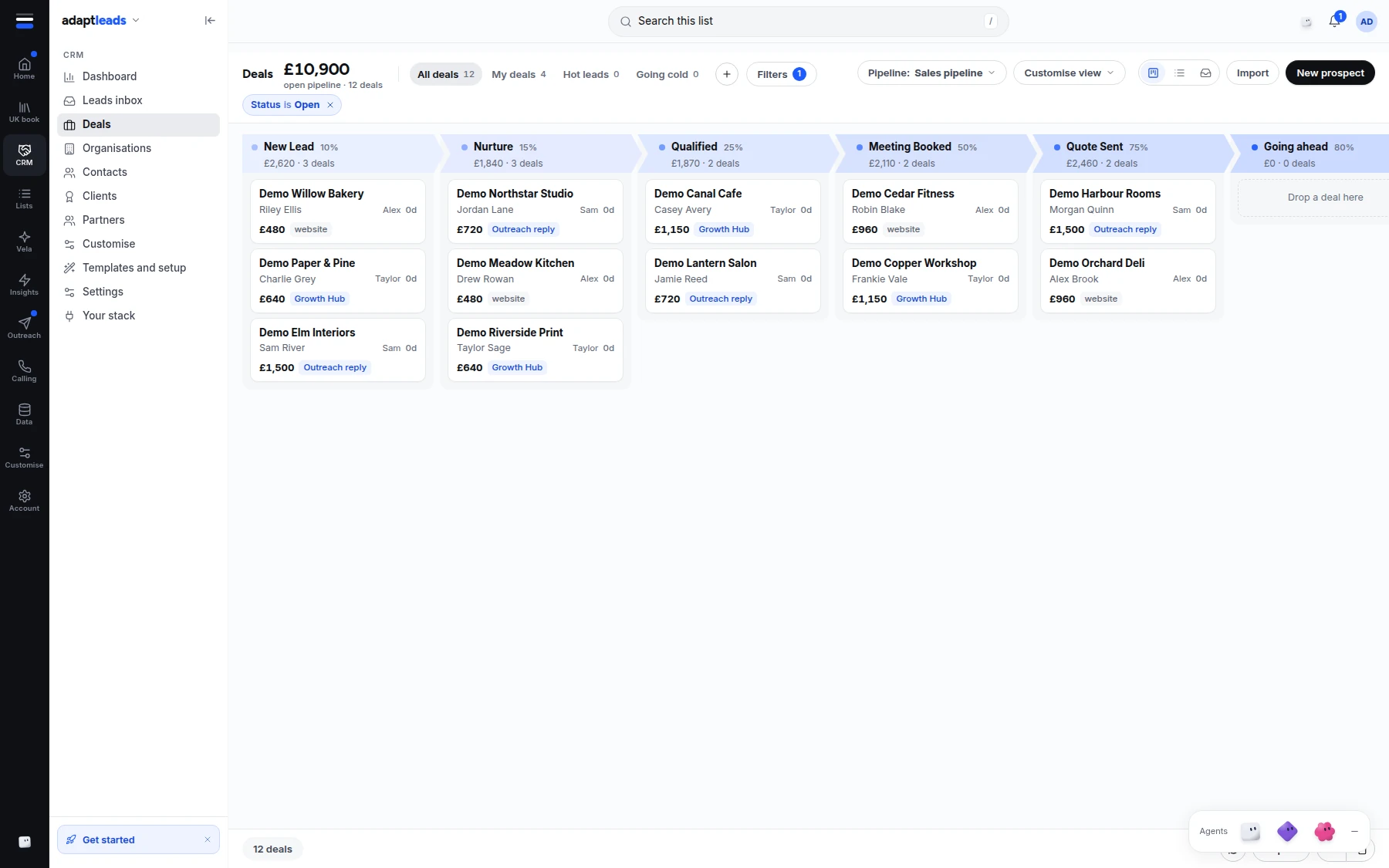
Keep the conversation with the opportunity.
Press Create deal on a reply, a call or an Insights signal and the deal opens with the business, the contacts and the whole history attached. Move it through your stages and see the value at each one.
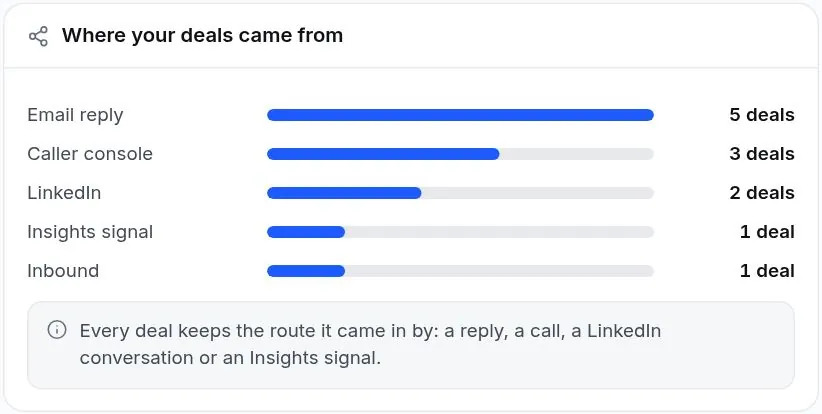
Which channels are creating sales opportunities?
Each deal records whether it came from email, a call, LinkedIn, a company insight or an inbound enquiry. Compare the sources and stages to understand which activity is producing opportunities and which deals need attention.
Start blank, start with a template, or keep the CRM you have.
Pick a starting point: blank, a basic CRM, or a setup built for your trade. Every start is a template in the same format, so you can change any field, stage or view afterwards. Import a file from HubSpot, Pipedrive, Salesforce, Zoho or Attio, see what it would do before anything is added, and undo it if it isn't right. Syncing with those CRMs is planned.
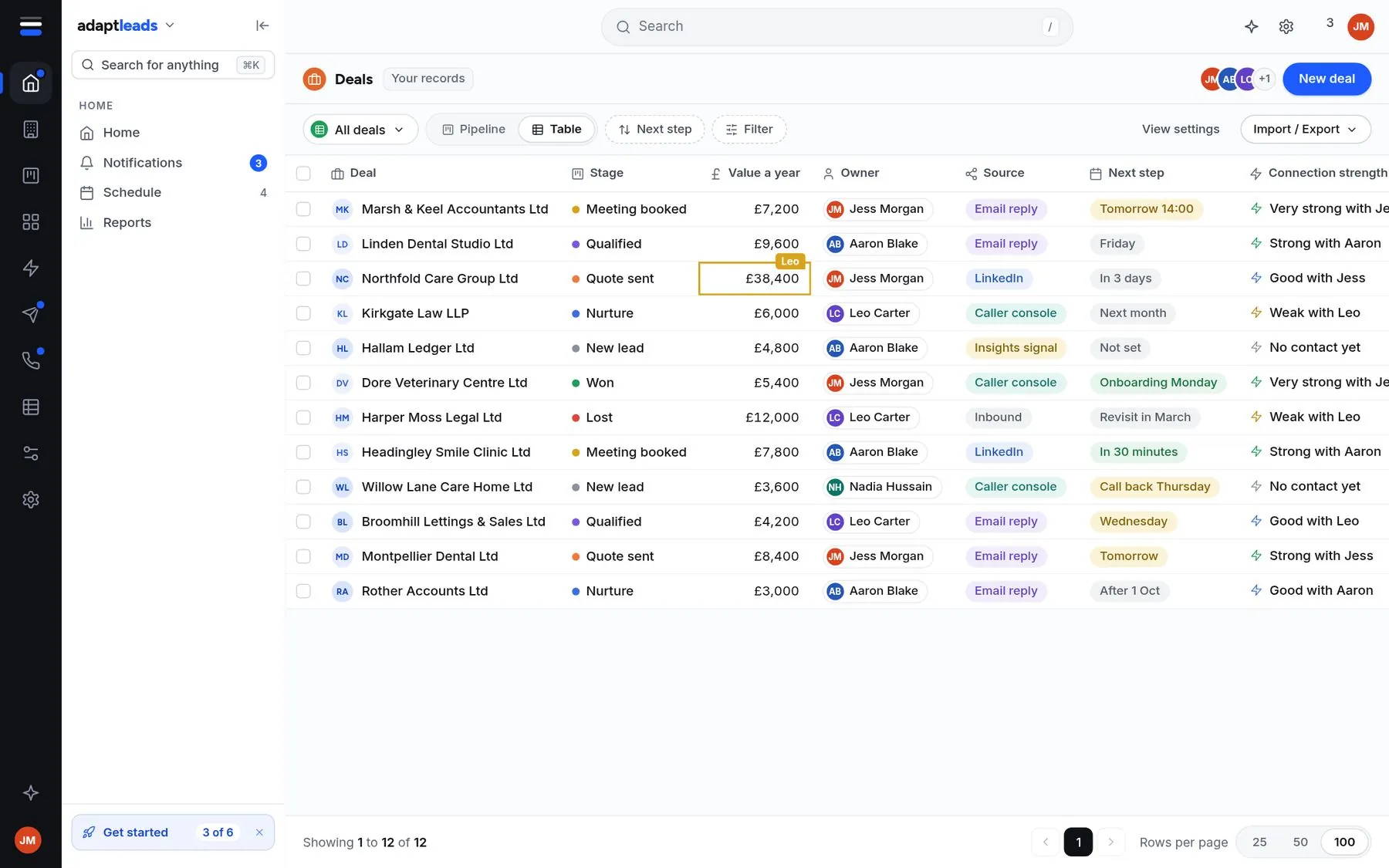
Manage enquiries, contacts and agreed follow-ups.
New enquiries in one place
Every new enquiry, marked New, Contacted, Handled or Discarded.
A board and a table
Move deals between stages, set the next step and see the value.
Every company you work with
Linked to the book, so the register facts come with them.
Every person
Roles, emails and phones, with each one's history.
Open pipeline, replies, meetings
Leads in, replies, meetings booked and activity across email, LinkedIn and calls.
Fields, stages and views
Change what you track, and how it looks, without anyone writing code.
Set up a pipeline that reflects how your team sells.
- 1
Pick a starting point
Blank, basic or built for your sector. You can change anything afterwards.
- 2
Bring your replies in
Create a deal from an email reply, a call or an Insights signal, or import a file.
- 3
Work the pipeline
Move deals through your stages, set next steps and watch the reports.
Frequently asked questions
Do I have to use your CRM?
No. Adapt Leads works as the book and the outreach tools even if you keep your own CRM. Syncing with HubSpot, Salesforce, Pipedrive, Zoho, Dynamics 365 and Attio is planned.
Can I import contacts from another CRM?
Yes. The CRM can map imported company, contact and deal information. Upload a file from one of them, or from Zoho or Attio, and you see where each column will go and what the import would do before anything is added. Records already in your CRM are matched, never copied, and you can undo an import.
Can I change the stages?
Yes. Every start is a template in the same format, so you can change any field, stage or view.
Is the CRM included in the price?
Yes. Every plan has every feature, and plans differ in how many new contacts you can reveal each month. See pricing.
Does the CRM sync with HubSpot or Salesforce?
Not yet. Two-way sync with HubSpot, Salesforce, Pipedrive, Zoho, Dynamics 365 and Attio is planned. You can import a file from any of them today.
Can my whole team use the CRM?
Yes. Every plan includes one person. From Starter up, each extra person is 30% of the plan price. Solo is for one person only.
Where do deals come from?
From an email reply, the Caller Console, LinkedIn, an Insights signal or an inbound enquiry, and every deal keeps the route it came in by.
Can I see reports?
Yes. Reports show the pipeline by stage and where your deals came from, so you can see what actually wins business.
Can I undo a change to my CRM setup?
Yes. Walking through the setup changes nothing until you press Apply at the end, and Apply can be undone.
Turn replies into deals.
Set up your pipeline and keep the conversation moving.