What do your sellers need
to know before a call?
Prepare a call list with the available contact details, person to ask for and relevant company research. Call from your own phone, ask about the work you can help with and record the outcome in Adapt Leads. The calling workspace does not place or record calls.
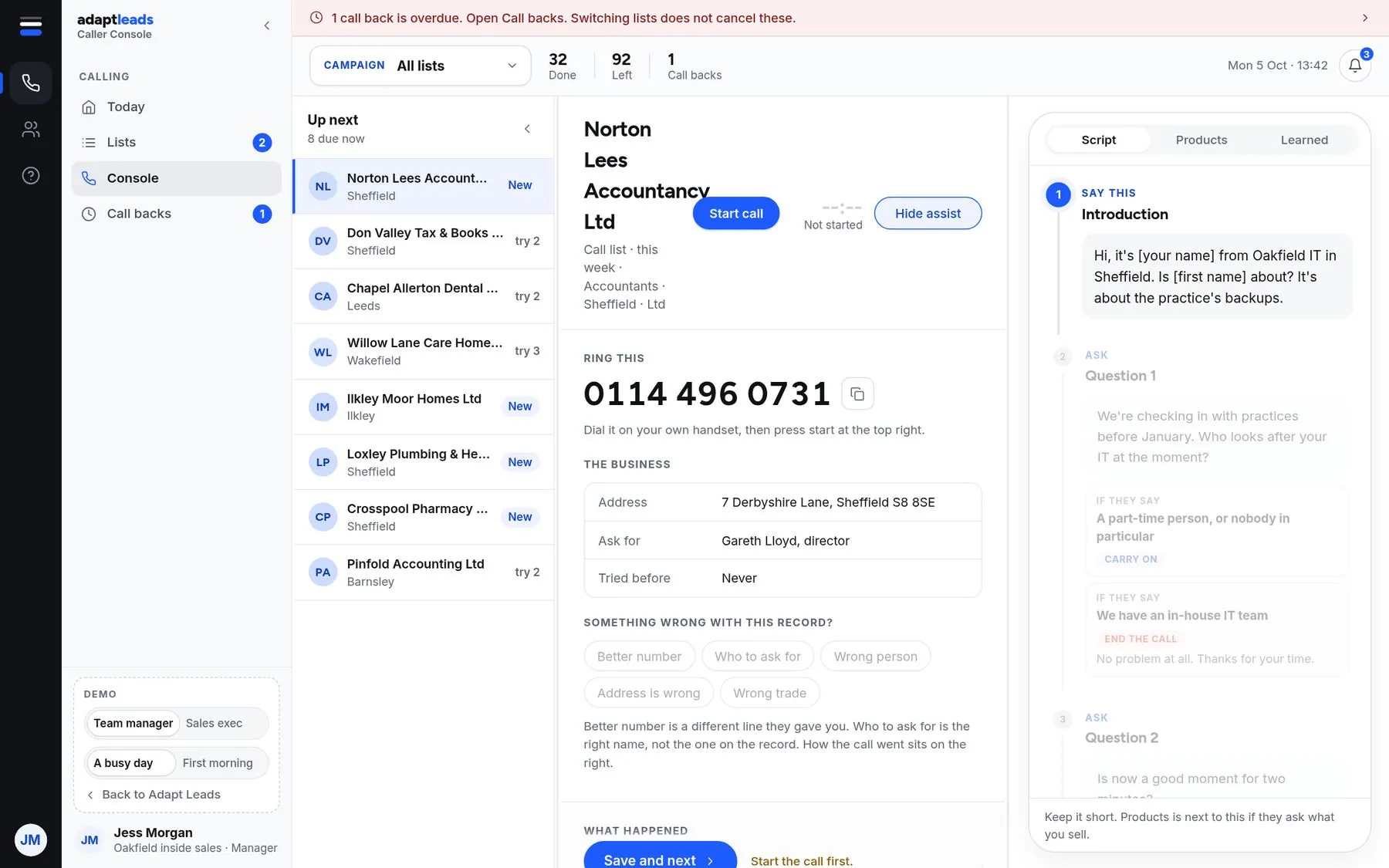
The number, who to ask for and why now.
Each call includes a contact, evidence labels and company updates to review. The opening prompts help you ask about the buyer’s work. Explore any difficulty they describe before suggesting how your service could help.
Which callbacks have you agreed with prospects?
Record the time you agreed to call again. The Call backs list keeps those commitments visible, including overdue callbacks, even when you switch to another prospect list.
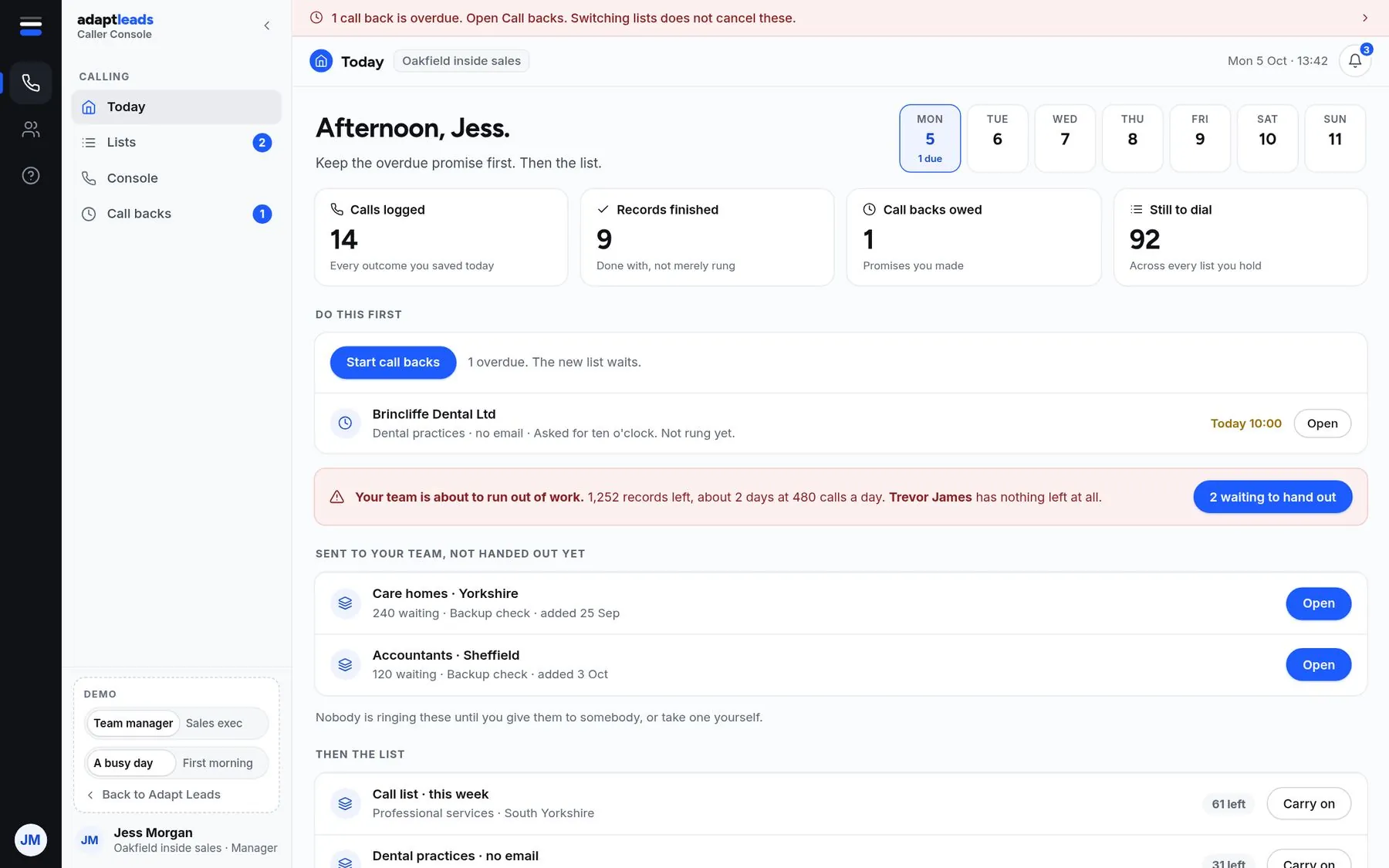
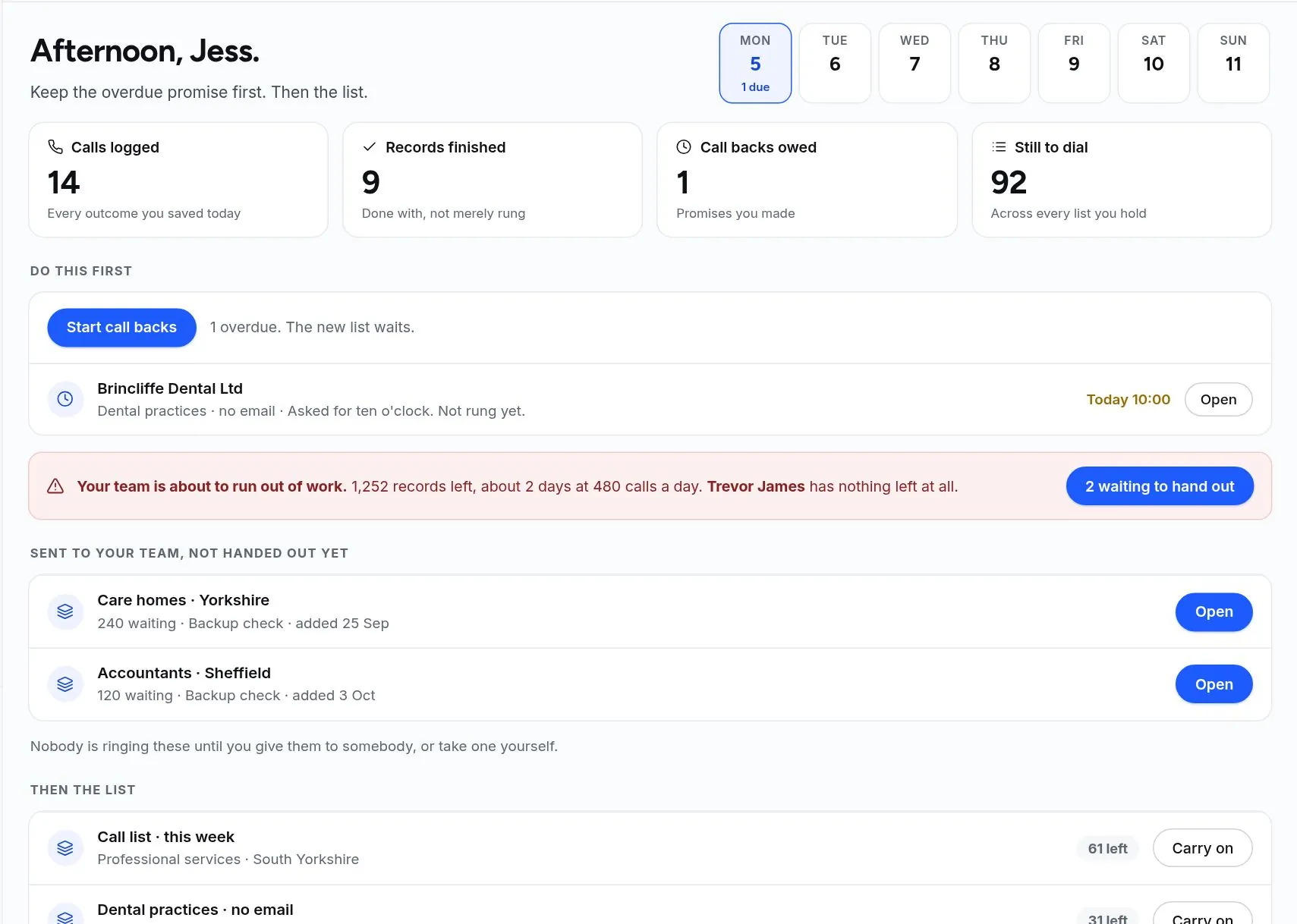
Assign call lists and see where the team needs help.
Managers send call lists to the team and hand them out, see calls logged, records finished and call backs owed, and spot when someone is about to run out of work.
Fix the record as you go.
Record a wrong number, a suggested correction or a different person to contact. That feedback can be reviewed against the company information rather than leaving the next seller to discover the same issue.

A calm place to make calls.
Your day in one view
Calls logged, records finished, call backs owed and calls still to dial.
The lists you hold
Call lists from the book, with who is next and how many are left.
One record at a time
The number, who to ask for, the script and the outcome buttons.
Promises you made
People you agreed to call again, with the time and relevant notes.
Log in one tap
Interested, call back, not now, wrong number. Interested can create a deal.
Managers and callers
Managers hand out lists and see progress. Callers see only their own work.
From a list to a logged call.
- 1
Pick a list
Open Today, choose a call list, and the next business is ready.
- 2
Ring from your own phone
Dial on your own handset, then press start so the call is timed and logged.
- 3
Log the outcome
One tap. Interested can create a deal, and a call back goes on your list.
Frequently asked questions
Is it a dialler?
No. You ring from your own phone. Adapt Leads gives you the number, the person and the script, and logs the outcome.
Do you check the TPS or CTPS for me?
No. We don't screen numbers for you. If you make marketing calls, check the Telephone Preference Service registers before you ring, as our UK GDPR and PECR page explains.
Can my team use it?
Yes. Managers hand out lists and see progress, and callers work through their own lists.
What happens to a number someone says is wrong?
It goes back to the book as a correction, and the next person who calls that business gets a better record.
Do I need a phone system?
No. Call from your own phone, then log how it went in one tap. There's nothing to install.
Does it record calls?
No. It isn't a dialler, so it doesn't place or record calls. It gives you the number, who to ask for and why to ring now.
What is a call back?
A promise you made on a call, such as ringing back at ten. Log it and it goes on your Call backs list, held until you keep it.
Can I see how my team is doing?
Yes. See calls logged, records finished and call backs owed for each person, and hand out call lists from one place.
Is there a script?
Yes. Each call comes with a short script and the outcome buttons, so new callers know what to say and what to log.
Make your first call list.
Build a focused prospect list, review the contacts and call from your own phone.