How do you organise
LinkedIn outreach and follow-ups?
Plan a campaign for people whose work is relevant to your offer. Use the Chrome extension to carry out approved steps from your own account, then review replies and decide how to follow up. Daily limits and warning stops are controlled in the LinkedIn workspace.
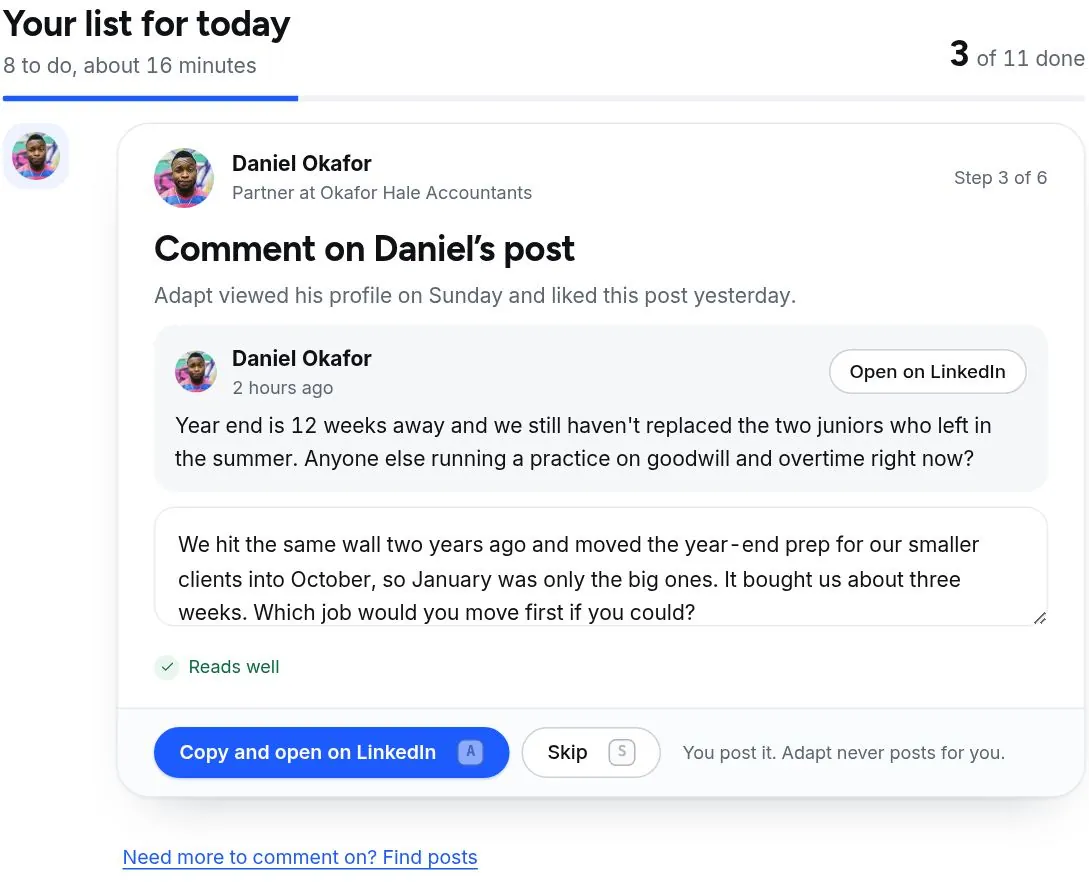
A short list of the things only you can do.
Adapt Leads does the warm-up: it views the profile and likes a post before an invite goes out. Then it hands you the human jobs, like a comment on a prospect's post, in a short list for the day. You post it. Adapt Leads never posts for you.
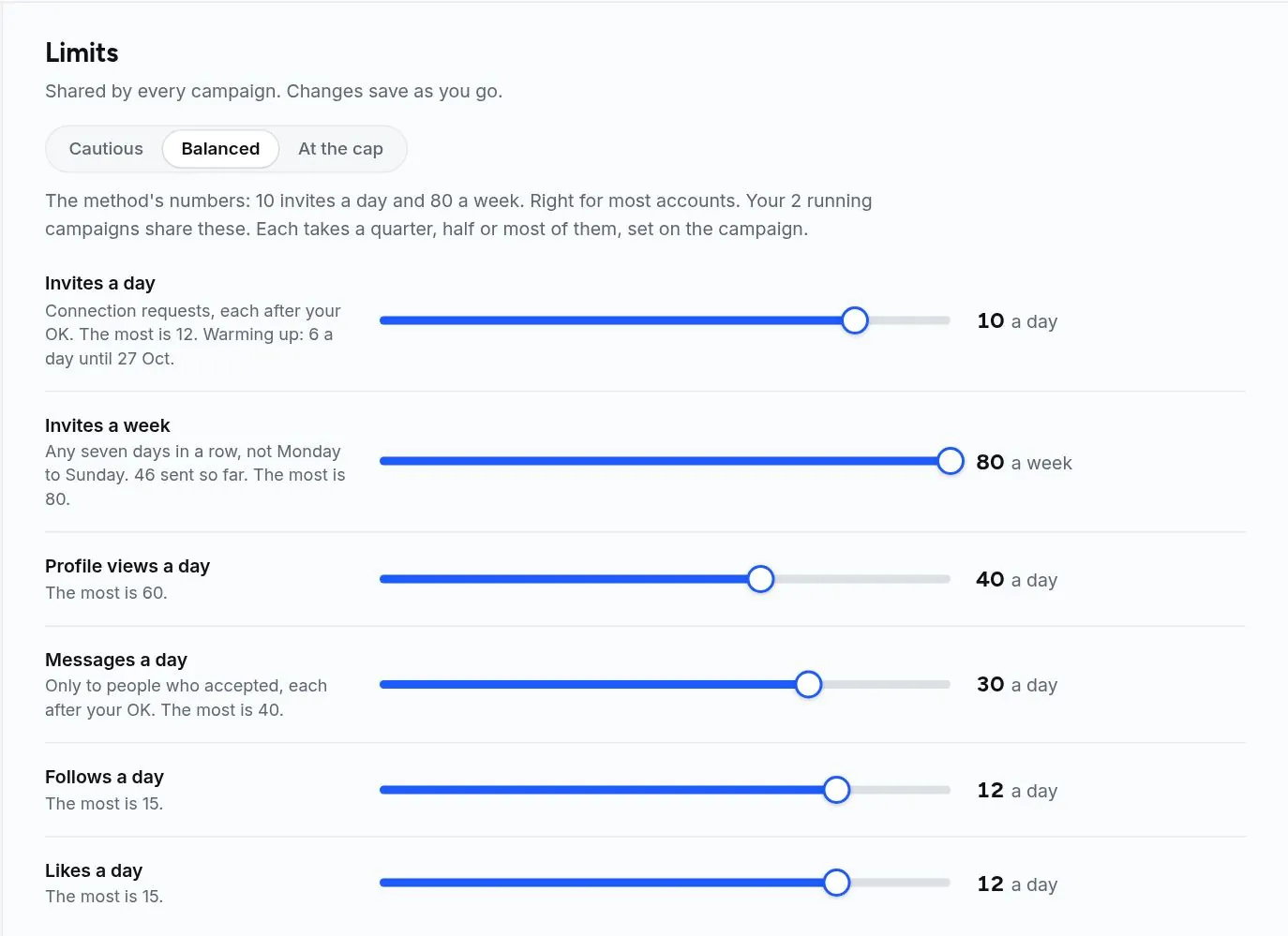
Limits you set, and a ceiling you can't pass.
Choose Cautious, Balanced or At the cap. The configured ceilings are 10 invites a day and 80 across seven days. A new account warms up first and starts lower. Each campaign takes a share of the same limits, so two running campaigns never add up to more.
Each invite and message waits for your OK.
Connection requests go out only after you approve them. Messages go only to people who accepted, again after your OK. The runner stops if LinkedIn shows a warning.
Build the steps your way.
Pick a template, such as a LinkedIn drip, LinkedIn then email, or warm-up before connecting, or build your own on the canvas. If someone doesn't accept, Adapt Leads can hand over to an email campaign, but only where the book holds a verified email.
Everything for one account.
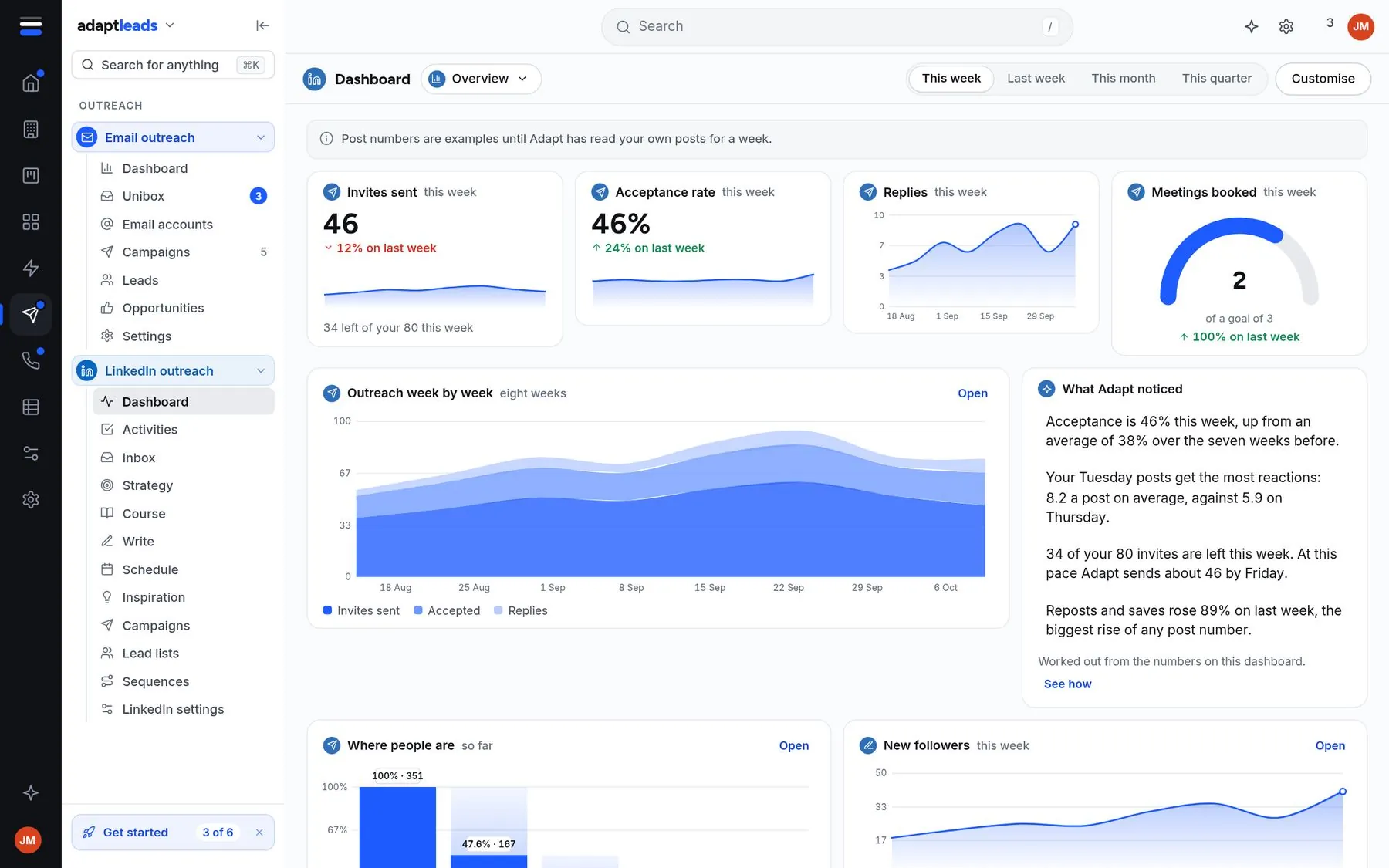
The week at a glance
Invites, acceptance rate, replies, meetings booked and where people are in the funnel.
Today's list
The jobs for the day with the time they should take, and your streak.
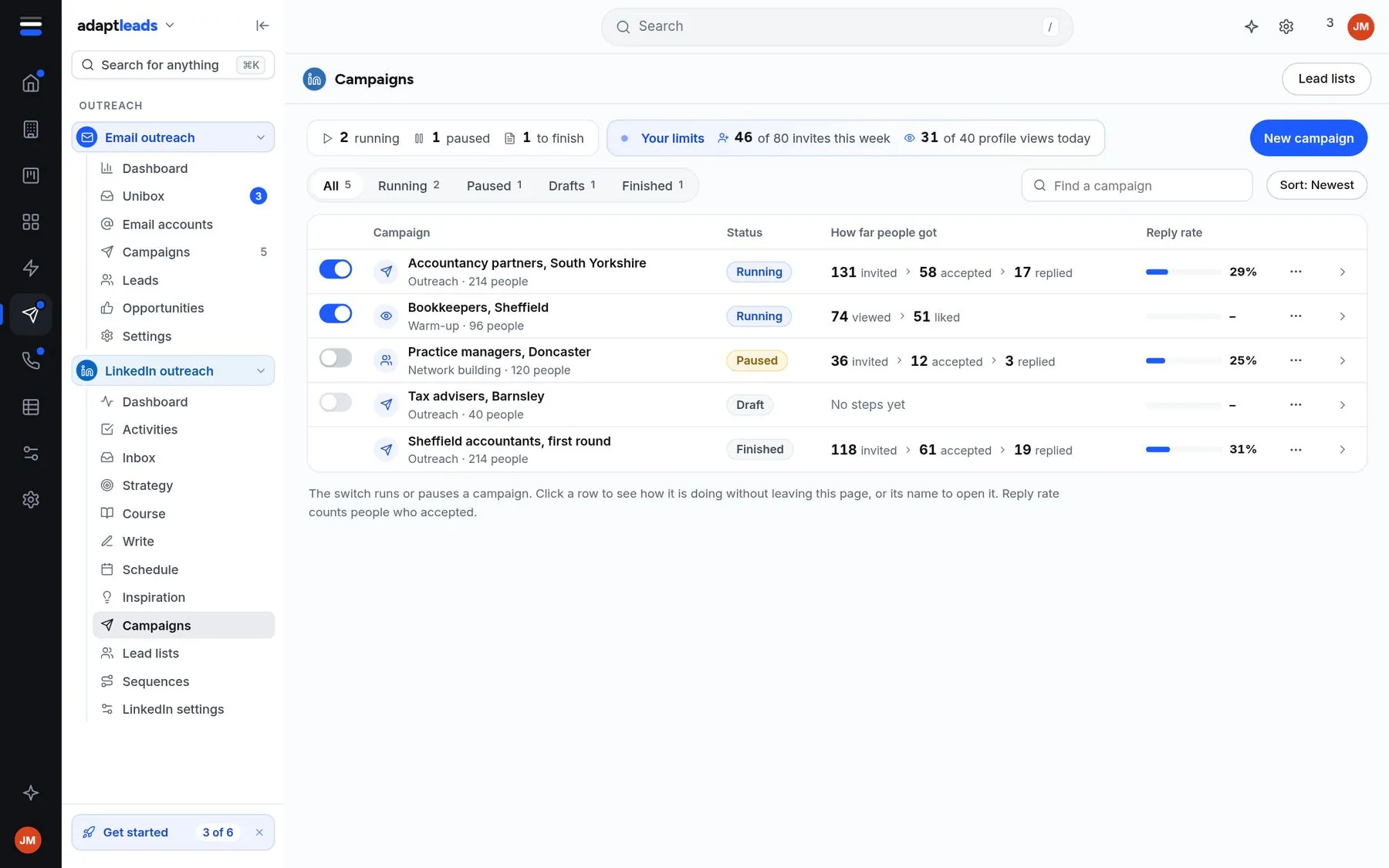
Outreach, warm-up and networking
Run several, each taking a share of your limits.
A canvas for the steps
Connect, wait, message, hand over to email. Draw it the way you work.
Who each campaign works on
Lists from the book or your own, with each person's record behind them.
Replies in one place
Conversations from LinkedIn, with the record beside them and a button to add to your records.
From install to first invite.
- 1
Install the extension
Download it from LinkedIn settings in your account and sign in.
- 2
Choose your limits
Start Cautious or Balanced. A new account starts lower and builds up.
- 3
Run a warm-up first
View and like before you connect. Then approve your first invites.
Frequently asked questions
Does it run on your servers?
No. Every LinkedIn action runs in your own browser, on your own connection, through the Chrome extension. Nothing is sent from our servers.
Will my account be restricted?
Nobody can promise that. We keep to low, human limits, spread actions through the day and stop at the first warning from LinkedIn. You set the limits and can lower them at any time.
Does Adapt Leads post or comment for me?
No. Adapt Leads suggests and you post. Comments and posts stay yours.
Can I send messages to anyone?
Messages go only to people who accepted your invite, and each one waits for your OK.
Is it affiliated with LinkedIn?
No. Adapt Leads is not affiliated with LinkedIn Corporation.
How many invites does Adapt Leads send?
The configured ceilings are 10 invites a day and 80 across seven days, counted over any seven days in a row. A new account starts lower, and you can always set lower limits.
Do I need to keep the Adapt Leads panel open?
No. Chrome needs to be open, but the campaign runs in the extension's background, so the panel can stay closed.
Can I pause a LinkedIn campaign?
Yes, at any time. Pausing stops every step, and nothing more goes out until you start it again.
What happens if LinkedIn shows a warning?
The runner stops at the first warning, and nothing restarts until you've looked at it and chosen to carry on.
Plan your LinkedIn outreach.
Set your limits and keep control of what goes out.