Which sales tasks would
you like help with?
Ask Vela to coordinate research, company updates, message drafts or follow-ups. Search, Insights, Engage and Optimise each handle a part of that work using the information available in Adapt Leads. Review the results and approve outreach before it is sent.
How much time does your team spend checking old prospect details?
People change roles and businesses change their contact details. If the team discovers this during outreach, sellers repeat the research and colleagues may use the same outdated details again. Review the evidence labels and recent company information before preparing a campaign.
Marsh & Keel Accountants
Marsh & Keel Accountants
Each agent has one job.
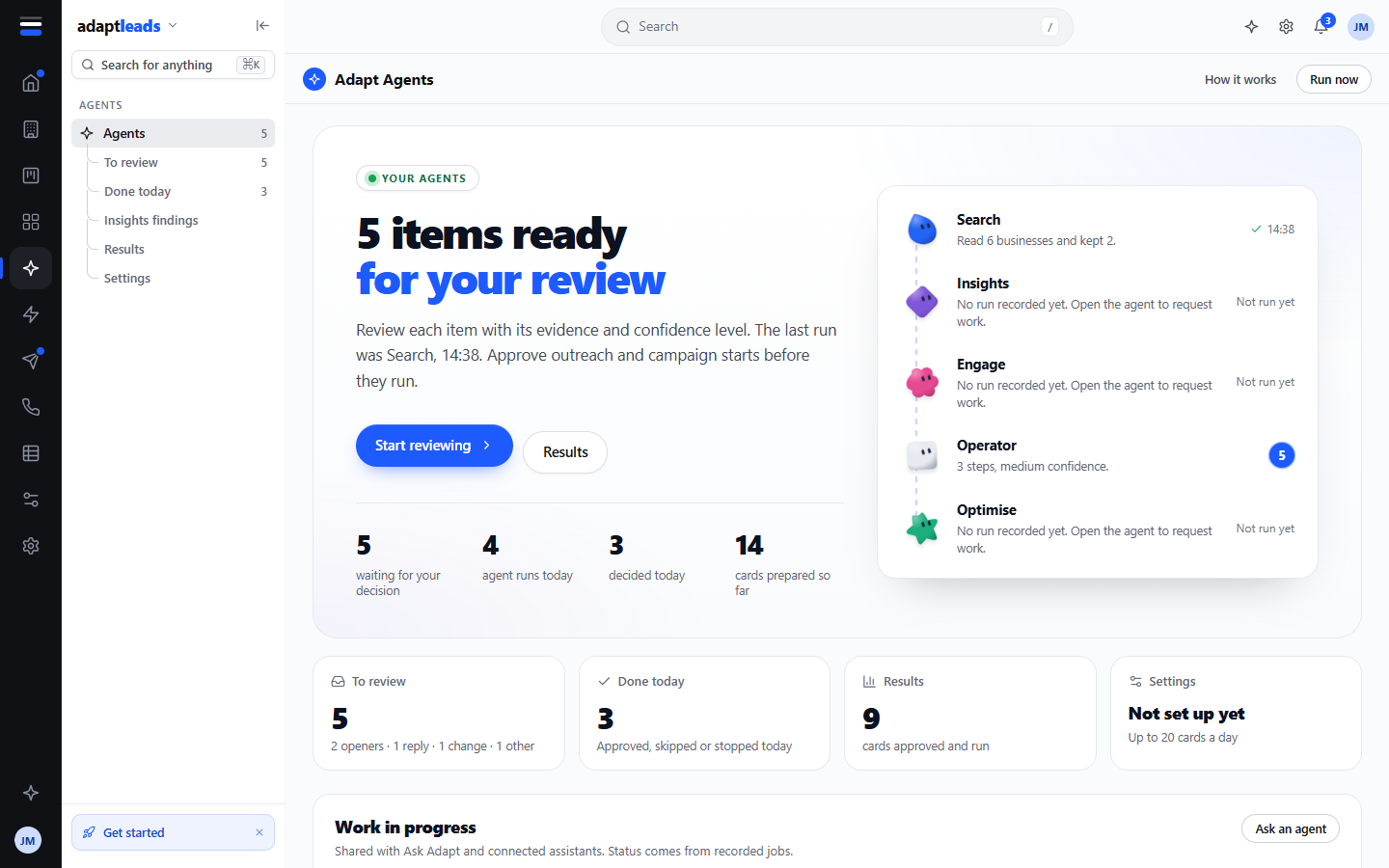
The agents share relevant company information and completed work. Recommendations from Optimise can help your team decide what to change in a later campaign.
The activity shown on these cards is a sample.
Review it. Approve it. Then send.
Your agents prepare the work and explain the evidence. Review, edit or approve each draft. Vela can pause a campaign to stop further contact. Starting or resuming a campaign and paid actions require your approval. You can turn any agent off at any time.

What can each agent help you prepare?
Finds companies matching your ideal customer profile
Researches UK businesses, matches them to your ICP and identifies decision-makers with the evidence beside each recommendation.
Explains why now
Analyses UK business information, compares changes with your target customer profile and suggests companies to research.
Writes the outreach
Turns record evidence into email, LinkedIn and call prompts. Every draft waits for you.
Coordinates approved work
Keeps approvals, replies, activity, follow-ups and CRM next actions in one place.
Improves the next round
Reads replies, calls and deal movement, then recommends improvements to targeting, accuracy and performance. It never changes a campaign on its own.
Turn them on in about two minutes.
- 1
Tell Adapt Leads about your business
A few lines on what you sell and to whom. Engage writes from this.
- 2
Choose who you sell to
Your feed: the sectors, places and sizes you care about. It's shared with Adapt Insights.
- 3
Review when you like
Open your agents, read what's ready, and approve, edit or skip.
Frequently asked questions
Can the agents send emails?
They prepare email and LinkedIn drafts for you to review and edit. Outreach is sent only after you approve it. Vela can pause a campaign to stop further contact.
How do the agents know who I sell to?
From the feed you set up and the description of your business that you give them. Adapt Insights and Adapt Agents share the same feed.
Can I turn an agent off?
Yes, any agent, at any time.
What does Optimise change?
Nothing on its own. It proposes what to pause or try next, with the evidence on the card, and you decide.
What are the five agents?
Search finds companies matching your ideal customer profile and decision-makers, Insights explains why now, Engage writes the outreach, Vela coordinates approved work, and Optimise recommends what to improve.
Do the agents send or change things without me?
No. They prepare, rank, draft, coordinate and recommend. Sending outreach, starting or resuming a campaign, paid actions and proposed campaign changes require your approval. Vela can pause a campaign to stop further contact.
Can an agent start a campaign or spend money?
Only after you approve the proposed start or paid action. Vela can pause a campaign to stop further contact.
Where do I approve what the agents prepare?
On your home screen and in the agents' own page, where every draft waits with its reason. Approve, edit or skip each one.
Are the agents included in my plan?
Yes. The agents are part of the app on every plan.
Try the agents with the businesses you want to reach.
Give Adapt Leads your ideal customer profile and see what it finds.