Contents
- A good LinkedIn video is easy to lose
- How to download a LinkedIn video on a computer
- How to download a LinkedIn video on an iPhone or Android phone
- What you get: the file, its quality and its sound
- When a LinkedIn video will not download
- Can you download someone else's LinkedIn video?
- Turn the video into a conversation
- A quick checklist
How do you download a LinkedIn video?
Copy the link to the public post (click ··· then Copy link to post), paste it into the free Adapt Leads video downloader, press Get my video, then Download video. You get an MP4 with sound, on a phone or a computer. For someone else's video, LinkedIn's User Agreement asks for the owner's consent, so ask the creator first.
- Copy the link to the post (··· then Copy link to post), not the person's profile.
- Paste it into the free Adapt Leads video downloader, press Get my video, then Download video. You get an MP4 with sound.
- Private posts, LinkedIn Learning courses and YouTube or Vimeo links will not download.
- LinkedIn's terms ask for the owner's consent before you copy content, so ask the creator first. That message is also a reason to talk.
A good LinkedIn video is easy to lose
You sell to UK businesses. Perhaps you supply timber to builders, fit signs for shops or run cleaning contracts for offices. Picture a site manager walking round a new yard on LinkedIn, or an office manager explaining how they pick a supplier.
Some videos are worth keeping. They show how a buyer thinks, in their own words. The feed keeps moving, though. A week later, you are scrolling back through posts, trying to remember a name.
Think what that costs you. If you cannot find the post again, the detail you wanted to mention in your first message goes with it, and the message you send is a generic one.
Keeping it is quick. Our free LinkedIn video downloader turns the link to a public post into an MP4 with sound, in the highest quality LinkedIn has. You need no sign-up and no card, the file has no watermark, and it works on a phone or a computer.
How to download a LinkedIn video on a computer
At your desk, the job is copy, paste and download. The link is what matters: it must point to the post, not the person's profile.
- Click ··· on the post, then Copy link to post. With the post open on its own page, you can copy the address from the address bar.
- Paste the link into the box on the video downloader and press Get my video.
- Press Download video. The MP4 goes to your Downloads folder, with sound.
A wrong link prompts a message. Paste a profile or company page link and the tool asks for the link to a post.
On Windows, the file lands in your Downloads folder; Chrome and Edge also list it under Downloads. On a Mac, it is in your Downloads folder, and Safari shows it through the downloads button at the top of the window.
How to download a LinkedIn video on an iPhone or Android phone
On a phone, the post link is all you need.
- In the LinkedIn app, tap ··· on the post, then Share via and Copy. Some versions show Copy link to post instead.
- Open the video downloader in your phone's browser. Paste the link into the box and tap Get my video.
- Tap Download video.
On an iPhone, the video saves to Downloads in the Files app. To add it to Photos, open the video, tap Share, then Save Video. Android saves it to your Downloads folder, which you can open from the Files app.
Once saved, the video plays without a signal. Watch it on the train, or play it to the team in a meeting room with poor Wi-Fi.
What you get: the file, its quality and its sound
Whether you want to watch a video again or reuse one you posted yourself, you need a file that opens without fuss.
Every download is an MP4 file. It plays on phones and computers, and it opens in editing apps such as Premiere Pro, CapCut and Canva. You get the highest-quality MP4 that LinkedIn has for the post, plus smaller copies when LinkedIn has them. Each file keeps the sound from the post.
Size can catch you out on a phone. LinkedIn's video specifications for Pages allow company page videos of up to 10 minutes and 5 GB. A long, sharp video can be a heavy download on mobile data.
When LinkedIn holds smaller copies, the tool lists them under the main button, so you can pick a lighter file for your phone and keep the full one for your laptop. For the sound alone, download the MP4 and convert it. In VLC, choose Media, then Convert / Save, and pick the Audio - MP3 profile. On a Mac, QuickTime Player saves an M4A file through File, Export As, Audio Only.
When a LinkedIn video will not download
Now and then, you paste a link and get a message back. Each message points to a different cause. Read it before you try again.
- The post is private or for connections only. A post you can't see while signed out of LinkedIn is one the tool can't read either.
- The video is not a LinkedIn upload. A YouTube or Vimeo link, a GIF or a document is not a LinkedIn video. The downloader cannot fetch those, so look for the video on the site where it was first published.
- It is a LinkedIn Learning course. Course videos are paid content, not public posts.
- It is a profile or page link. Go back to the post and copy its link instead.
Trying the same link again changes nothing. The help section on the tool page lists each message, what it means and what to do.
Can you download someone else's LinkedIn video?
Before you keep someone else's video, think about who owns it.
LinkedIn's User Agreement asks members not to copy, use or distribute content from LinkedIn without the content owner's consent. It also says not to copy or distribute other people's posts without their permission, except through LinkedIn's own sharing tools. UK copyright law has limits here too. The GOV.UK guidance on exceptions to copyright allows limited extracts for non-commercial research or private study, and says that copying the whole work would not generally be considered fair dealing. The Copyright, Designs and Patents Act 1988 sets out that private study exception, and section 178 says that private study does not include study that is directly or indirectly for a commercial purpose. Do not assume that exception covers research for sales.
Skip permission and you go against LinkedIn's terms with the one person you might want as a customer. Your own posts are different. The User Agreement says that, as between you and LinkedIn, you own the original content you post, so you can download your own videos. Check you have the rights to any music in them before you reuse them.
Get the creator's consent before you download. It is a simple step, and good selling too. A short message saying you liked their video and would like to keep it, or show it to your team, gives you a real reason to talk. To show it to others, use LinkedIn's Repost button, which shares it with their name on it.
That first message can come from Adapt Leads. Tell Vela what you liked about the video and it drafts the message. On LinkedIn, it goes from your own browser, only after you approve it. This is general guidance, not legal advice.
Turn the video into a conversation
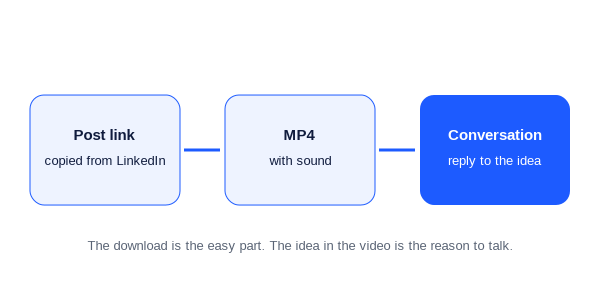
Every video shares an idea, such as a problem the poster is solving or a view about their trade. That idea is your reason to get in touch.
A saved video starts nothing on its own. To reply well, you need to know which business posted it, whether it fits what you sell and who to talk to. Without that, the idea sits in your Downloads folder and the first message you send is generic.
Adapt Leads is built for that next step. Look up the business that posted the video among the 7.9 million UK businesses in Adapt Leads, 5.7 million of them with a named director. Adapt Insights brings up the companies worth contacting now. Tell Vela the idea you noted, and it drafts a first message around it. Nothing goes out without your OK.
On LinkedIn itself, invites and messages run in your own browser through the Chrome extension. Each one waits for your approval. Adapt Leads never posts for you. When a good reply comes back, you can turn it into a deal in the CRM, with the record and the thread attached.
Some replies go better by email. Check who you are writing to first. The ICO's guidance on business-to-business marketing says the rule on direct marketing by electronic mail in the Privacy and Electronic Communications Regulations (PECR) does not apply to corporate subscribers, such as limited companies, but sole traders and some partnerships are treated as individuals. The ICO notes that this guidance is under review after the Data (Use and Access) Act. For business marketing emails, say who you are and give a valid address for opting out. Adapt Leads labels every record with the kind of business it is, and shows the legal form where the register holds it, so you can check the business type against the ICO guidance before you write. For pace on LinkedIn, read a sane pace for LinkedIn outreach, and for a first email to a business that has just changed, see a first email to a newly appointed director.
A quick checklist
- Copy the link to the post, not the profile.
- Check you can see the post while signed out of LinkedIn.
- Get the creator's consent before you download someone else's video.
- Paste the link into the free video downloader, press Get my video, then Download video.
- Note the one idea in the video you would reply to.
- Look up the business, check it fits your offer, and approve the first message before it goes.
The download is the easy part, and it is free. To work through the hard part with us, start free for 7 days, with no card to start.
LinkedIn outreach
Questions about downloading LinkedIn videos
Is the LinkedIn video downloader free?
Yes. The Adapt Leads video downloader has no sign-up, no card, no watermark and no daily limit. If one person fetches a lot of videos in a short time, a short pause follows.
How do I download a LinkedIn video on an iPhone?
In the LinkedIn app, tap ··· on the post, then Share via and Copy. Open the downloader in Safari, paste the link and tap Get my video, then Download video. You will find the video in Downloads in the Files app. To add it to Photos, open it, tap Share, then Save Video.
Why won't a LinkedIn video download?
A private or connections-only post will not download. The video may also be a YouTube or Vimeo link, a GIF or a document, or you may have copied a profile link instead of a post link. The downloader does not fetch LinkedIn Learning course videos, which are paid content.
What format is a downloaded LinkedIn video?
An MP4 file with the sound from the post. It plays on phones and computers, and opens in editing apps such as Premiere Pro, CapCut and Canva.
Can I download videos from LinkedIn company pages?
Yes. A company page post works the same as a post from a person, if the post is public and the video was uploaded to LinkedIn.
Do I need permission to download someone else's LinkedIn video?
LinkedIn's User Agreement asks for the owner's consent before you copy content from LinkedIn, so ask the creator first. The same agreement says that, as between you and LinkedIn, you own the original content you post. This is general guidance, not legal advice.
Does the person who posted the video know I downloaded it?
Not from us. The Adapt Leads downloader does not contact the author or add anything to the post. When you press Get my video, it reads the public post and passes the file straight to you.
Can I get just the sound from a LinkedIn video?
Download the MP4, then convert it. In VLC, choose Media, then Convert / Save, and pick the Audio - MP3 profile. On a Mac, open it in QuickTime Player and choose File, Export As, Audio Only, which saves an M4A file.
How do I use a LinkedIn video to start a sales conversation?
Note the idea in the video and reply to that idea, not the video itself. In Adapt Leads, look up the business that posted it, then tell Vela the idea and it drafts a first message. Nothing goes out until you approve it.
Keep the video. Start the conversation.
Download the video for free, then find the business that posted it in Adapt Leads.
Download a LinkedIn videoStart free for 7 days
About the author
Jessica GardnerIn-house Editor, Adapt LeadsJessica writes Adapt Leads articles and guides on UK business data, prospect research and sales conversations.