Integrations and Your stack
Your stack lists the Chrome extension, desktop app, MCP connector, Google Calendar and more, with their real status.
Settings, Integrations points to Your stack, under CRM in the side menu.
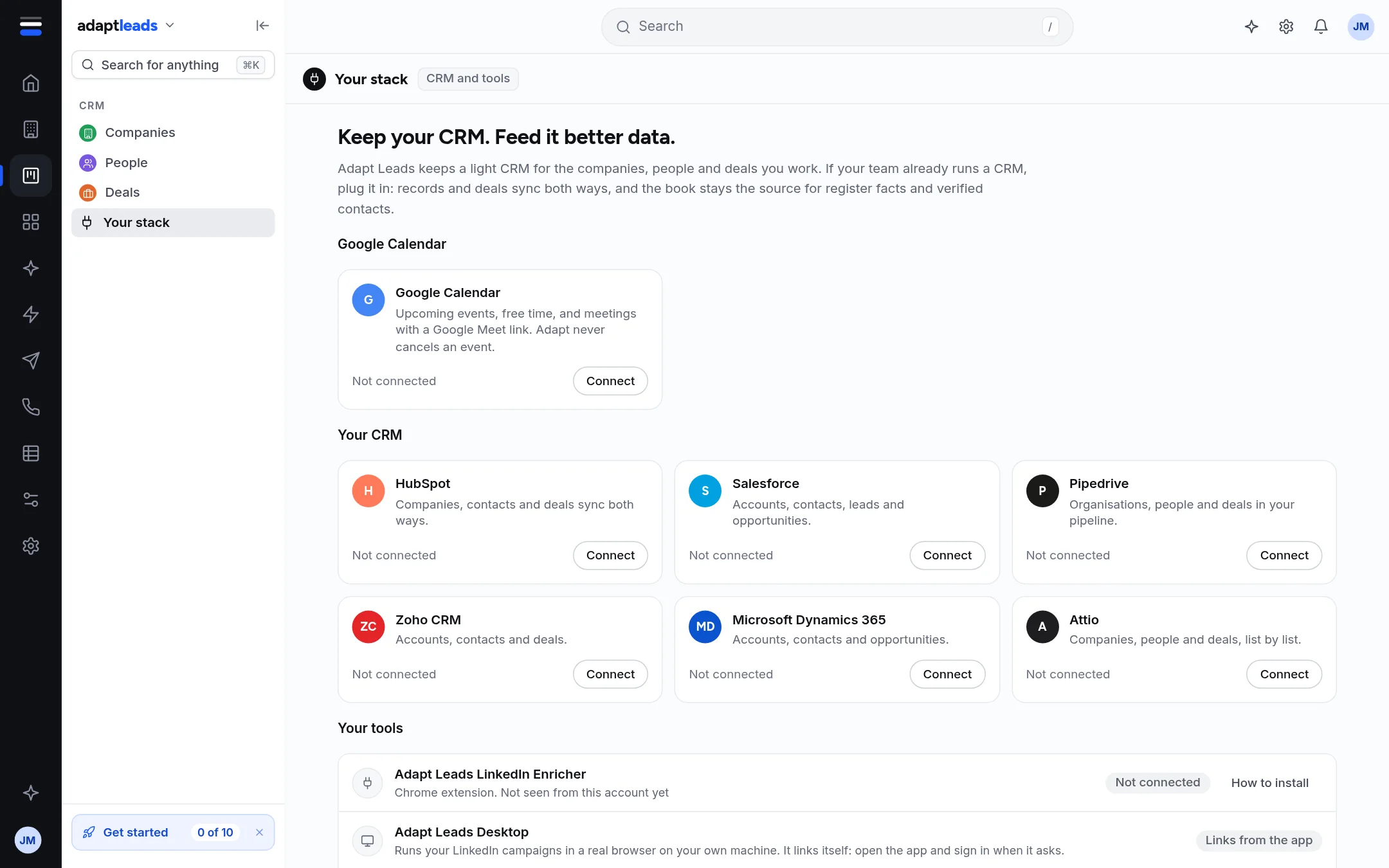
| Item | What it is | Status |
|---|---|---|
| Adapt Leads LinkedIn Enricher | The Chrome extension. Shows when it was last seen and its version. | Connected if seen recently, otherwise Not connected. Download and How to install. |
| Adapt Leads Desktop | Runs LinkedIn campaigns in a real browser on your own machine. | Links itself from the app. |
| MCP connector | Lets a connected assistant read and use registered Adapt tools within your granted permissions. | Available. Keys and details opens it. |
| Google Calendar | Upcoming events, free time and Meet links. | Connect or Disconnect. |
| Zapier and Make | Send events to other tools. | Not built yet |
| API | The same calls the app uses, with a key per workspace. | On request. Press Ask us to email. |
| CRM sync cards | Sync with other CRMs. | Not built: the card says what it will do. |
Google Drive backup
Google Drive copies are managed separately in Settings, then Backup. An owner or admin connects the organisation’s Drive, checks run history, requests a copy or disconnects. Read what is included before connecting: private notes and archived records can be copied. There is no customer schedule editor or Drive restore control. See Google Drive backups.
The MCP connector
Press Keys and details. It shows the server URL (https://mcp.adaptleads.co.uk) with a Copy button, today's use against its limit, and your keys.
- Name the key, for example "Claude on my laptop", and press Create a key.
- Copy it now. It is shown once and cannot be recovered.
- Paste it into your AI.
To stop a key press Revoke twice (the first press asks you to confirm). Anything using it stops at once. Choose the required permissions and lifetime when creating a key. Ordinary management requires separate consent; protected sending, export and other actions retain their review and checks. See Keys, sign-in and permissions. There is a limit on active keys, and you create them while signed in.
Install the extension
See Set up: add the Chrome extension. Connect your calendar: Set up: connect your calendar.